
Every step, written out with its reason.
Every concept, clearly taught.
Explore a lesson with clear explanations, worked examples and practice.
EdDots Notebook

The core teaching environment
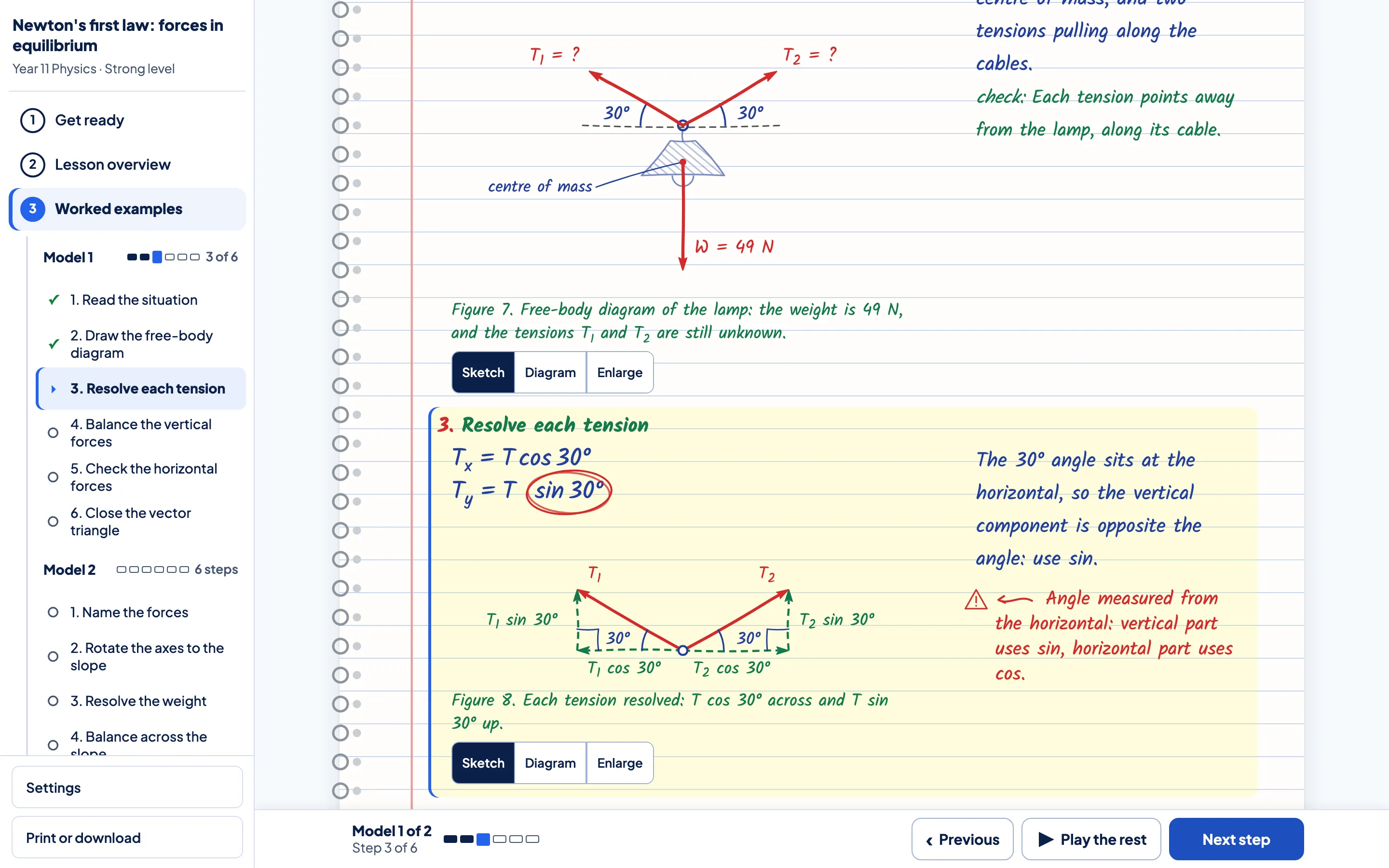
Inside a Notebook lesson.
See how an explanation becomes a worked example, then practise it yourself.
Example views. Open the tool to try it yourself.
Find your way around.
Use the lesson menu to move between the explanation, worked examples and practice.
Follow the working.
Each line of the worked example has its reason beside it, so you can follow how the answer is reached.
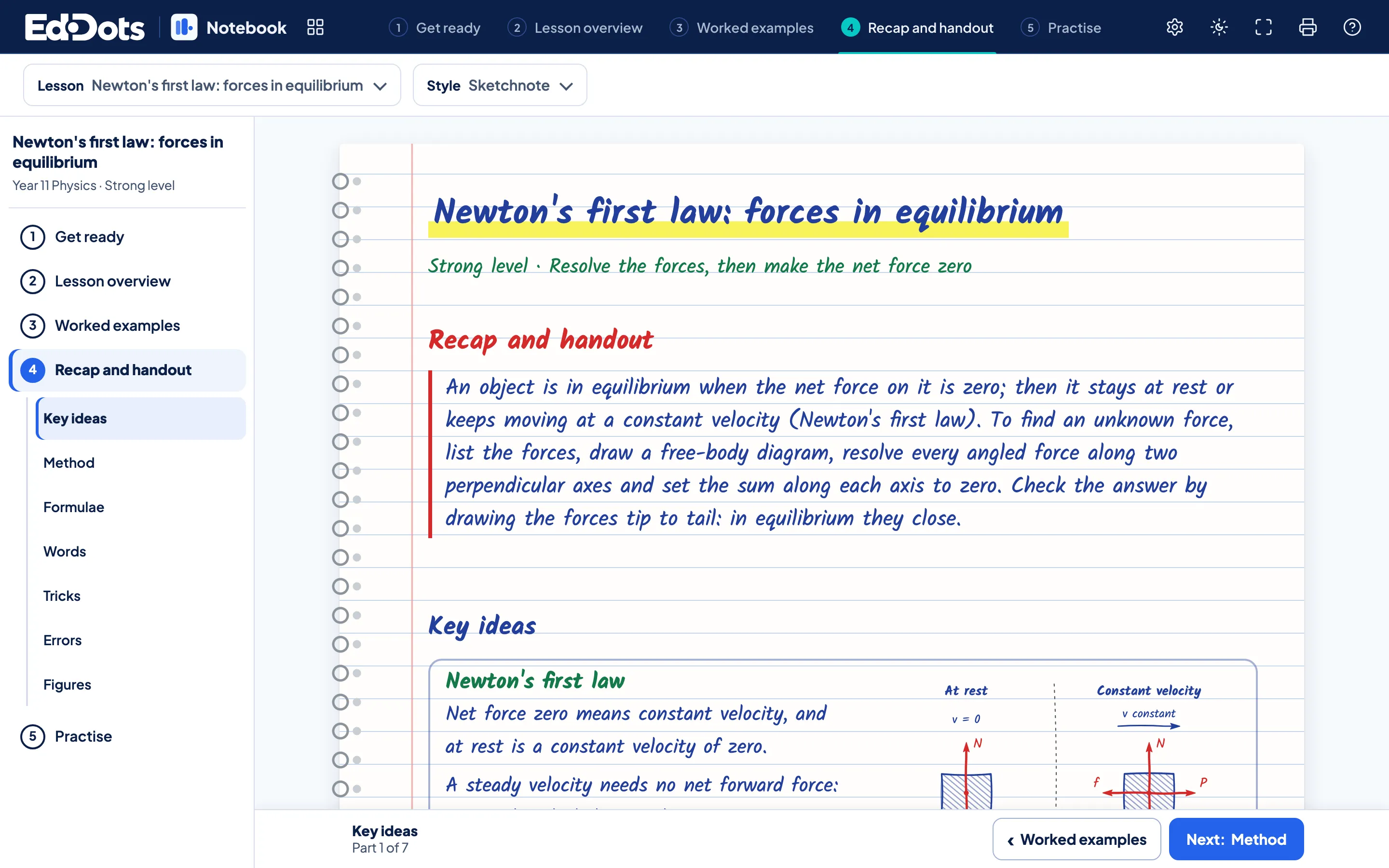
Keep the useful ideas close.
Return to the recap for the method, useful tricks and key ideas, or print a handout.
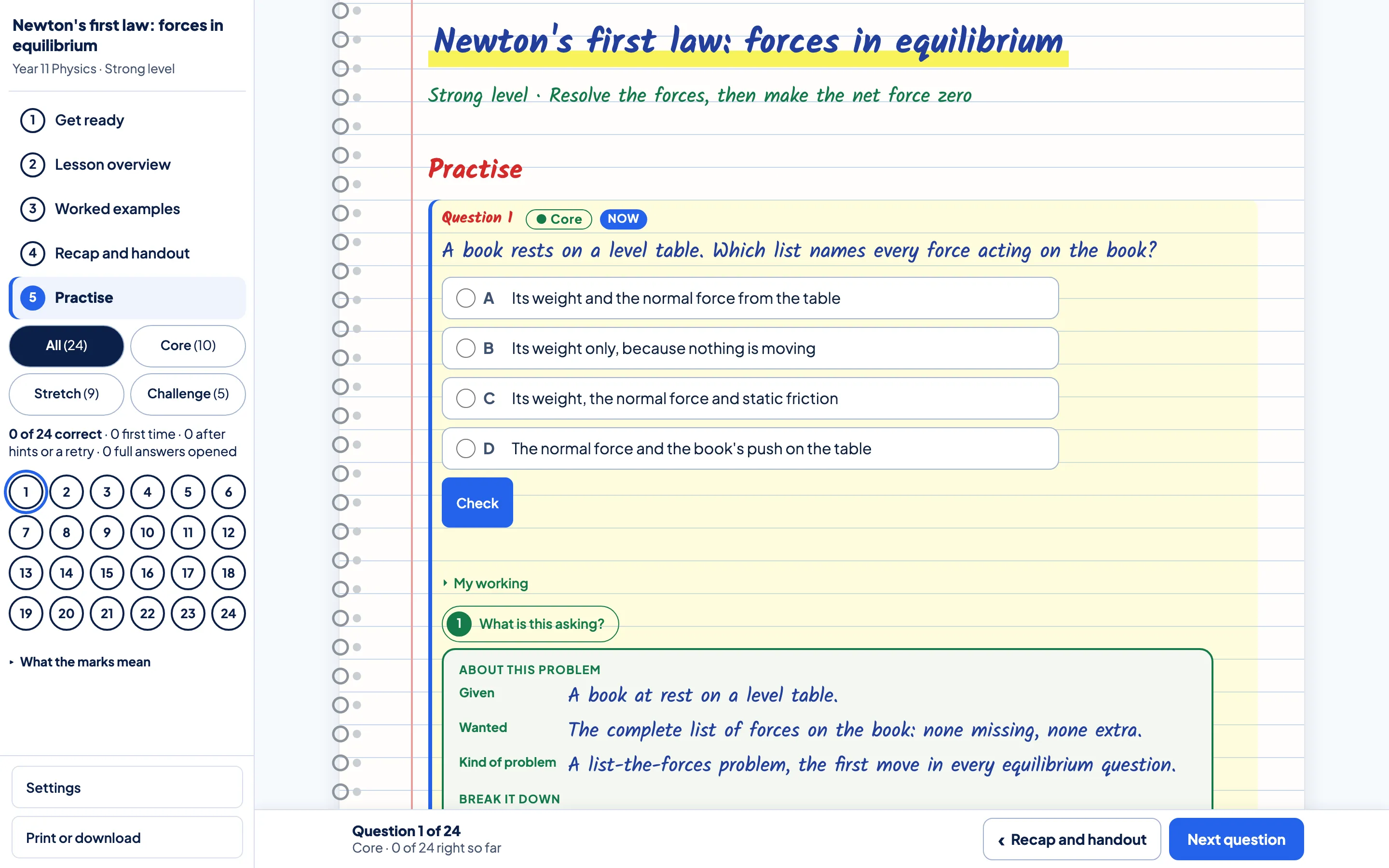
Practise with support.
Try a question yourself and use a hint if you need help with the next step.
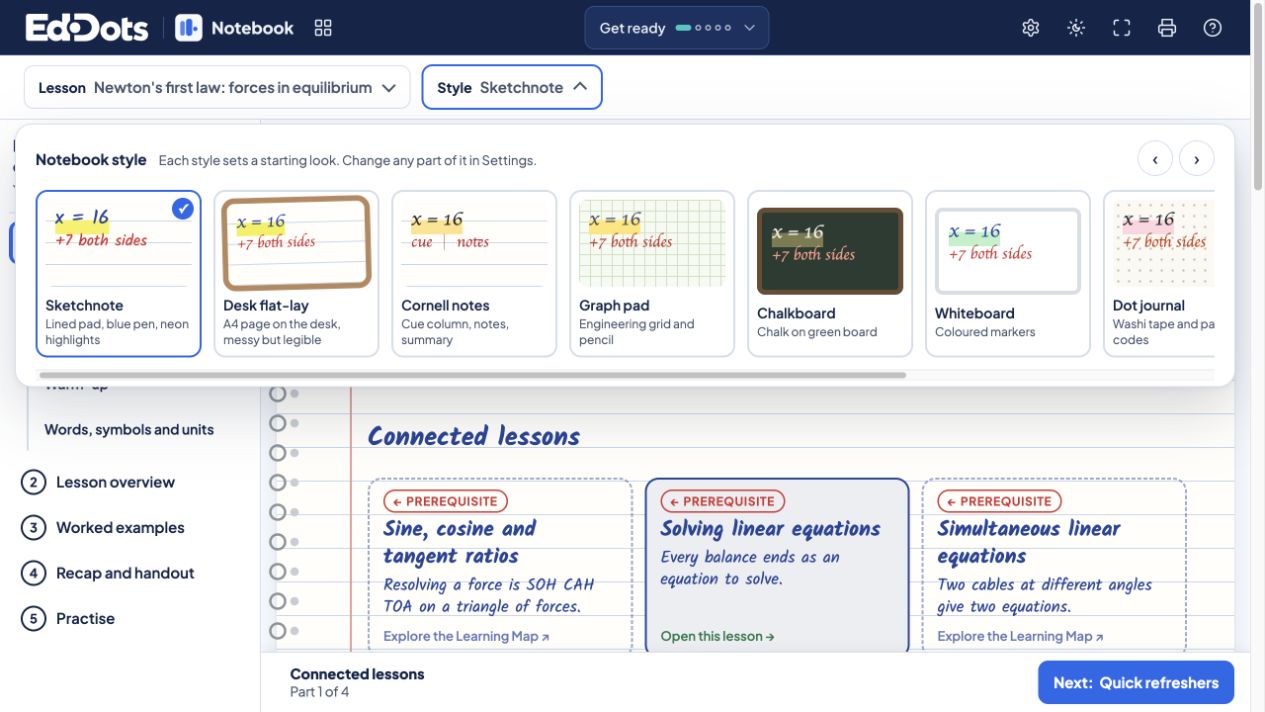
Make the space your own.
Choose a style, paper and handwriting, then switch between light and dark workspace colours.
In the example lesson.
Worked examples, step by step
Overview, examples and recap
A full practice series



Questions about the Notebook.
Which subjects have Notebook lessons?
The Learning Map lists subjects and shows the lessons available for each. You can open the free Notebook example without an account.
Can a learner change level?
Where lessons are available, choose the level that fits and move between levels as you learn.
What does a printed lesson include?
Choose the whole lesson, the handout or the questions, with answers or full worked solutions. Each sheet carries a name and date line, numbered questions, room to write and page numbers.
Can I see a lesson before I choose a plan?
Yes. You can open the free Notebook example without an account.