
Set a task. Share a code.
Create with confidence. Teach with purpose.
Class Studio is AI-assisted. You review and approve every question.
EdDots Class StudioAI

The educator’s curriculum and resource studio
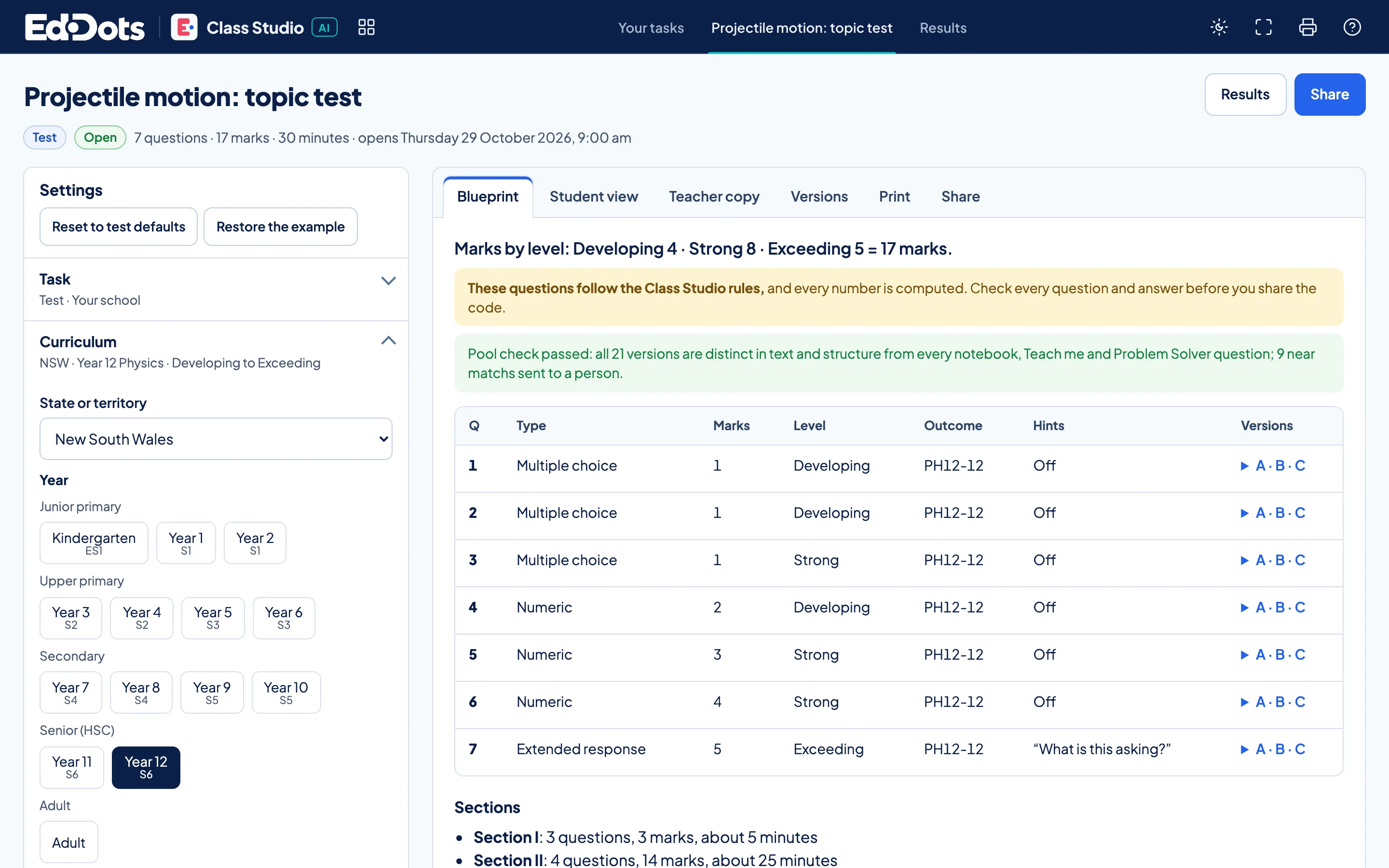
One task, from blueprint to results.
Build it, share it, read it seat by seat.
Example views. Open the tool to try it yourself.
The blueprint.
State, year and levels. Three versions of each question.
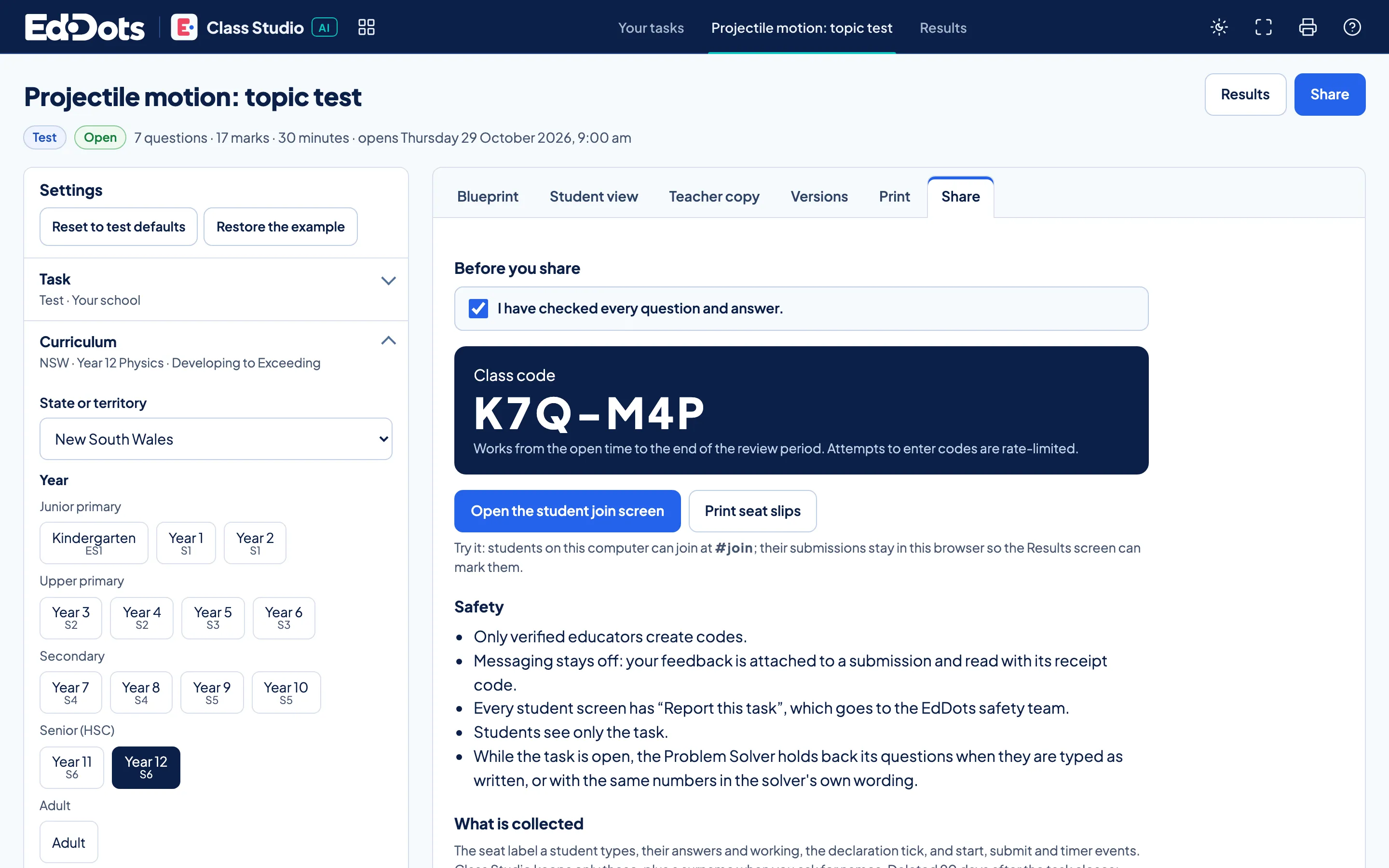
One code.
Confirm you checked every question, then share the code.
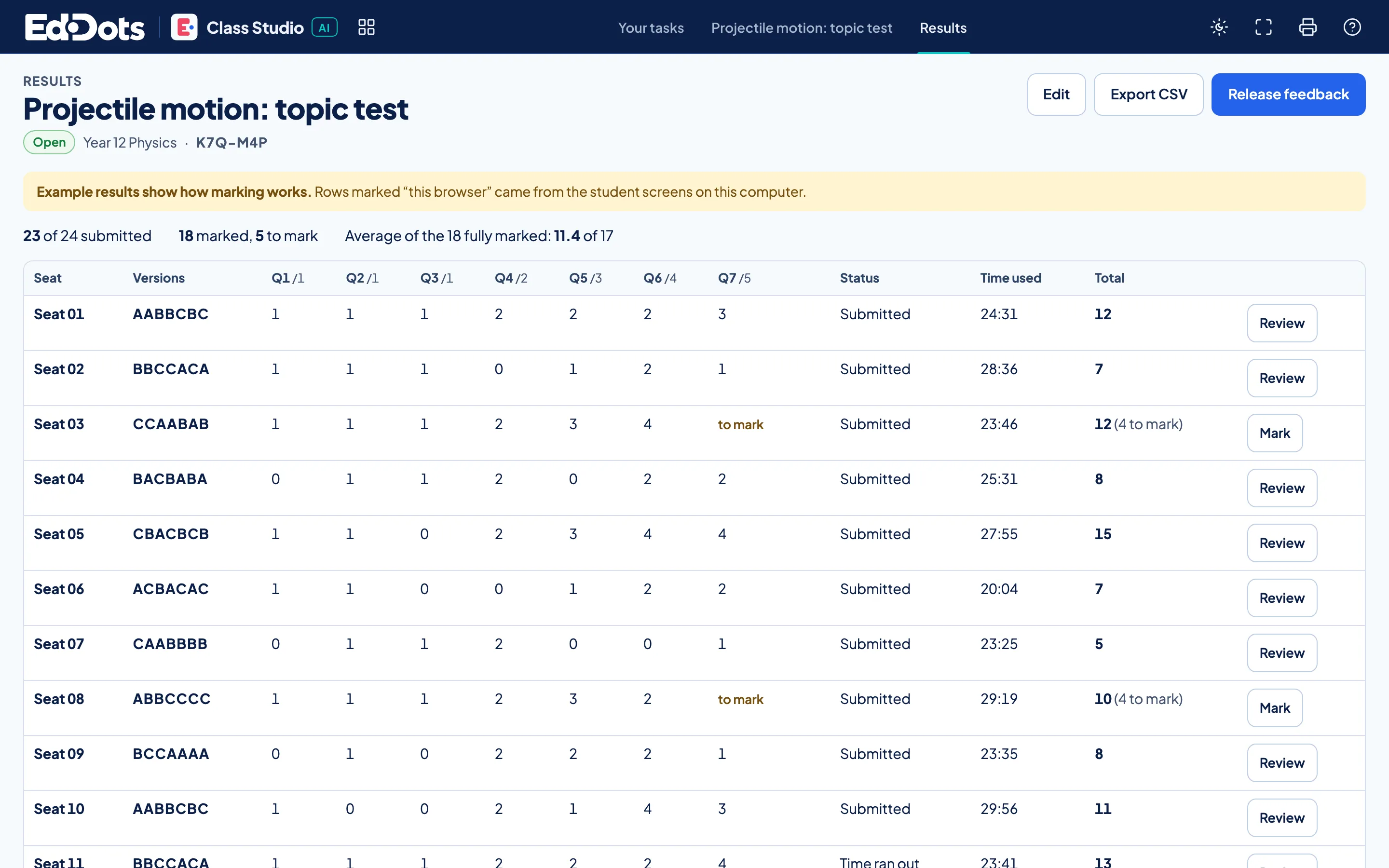
Seat by seat.
Marks by seat. You mark extended responses.
In every task.
Tests, assignments and lessons
Question pools
Students join with a code



Questions about Class Studio.
Can I edit every question?
Yes. Change any question, answer or rubric line before you share. A class code exists only once you tick that you have checked every one.
Where do test questions live?
In their own assessment pool, kept for Class Studio tasks and separate from Notebook practice, Study Builder and the Problem Solver.
How do I see who sat which version?
Results list every seat with the version of each question it drew, its marks and its time, ready to export.